
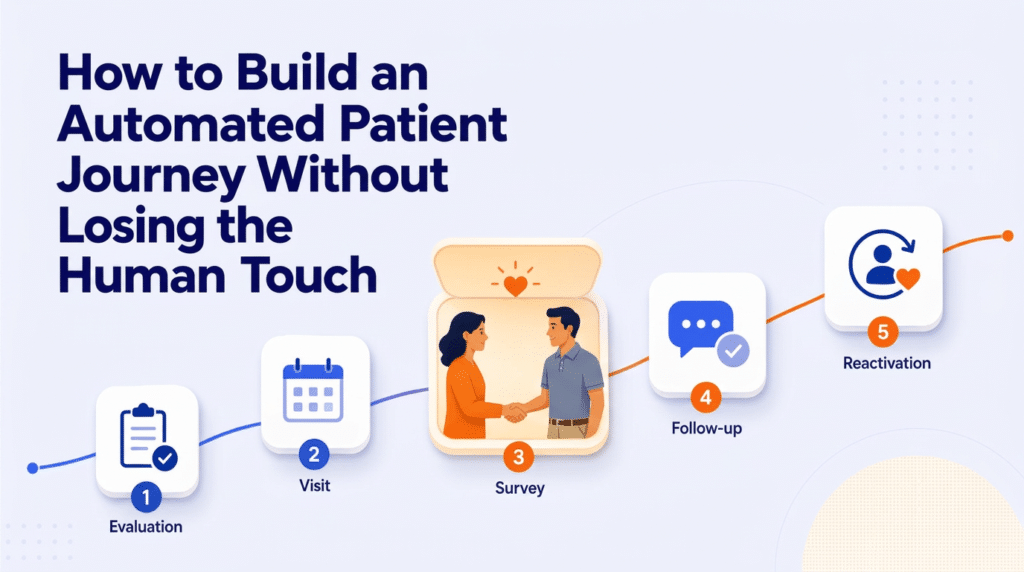
| Quick answer: An automated patient journey uses milestone-based triggers to send communications, create tasks, request feedback and surface patients who need attention. The best design automates repeatable work while preserving staff oversight for exceptions and meaningful patient interactions. |
Patient engagement does not end when a lead becomes a scheduled evaluation. That moment is the beginning of a longer operational journey that includes attention to and engagement with patients during their active care.
Laura Moore describes Active Patient Journeys as the “graduation” from lead tracking into active care. The same visibility that helps a practice understand where a lead sits in the intake process can help teams understand where an active patient sits in the care journey.
What is an active patient journey?
An active patient journey is a customizable record that follows a patient through milestones during an active case. Each milestone is associated with a trigger, a stage and an action. For example, a fifth completed visit might trigger a therapy-value survey. A period without an appointment might move the patient into a dropped-patient stage and create a reactivation task.
The core design principle is modularity. Practices can assemble stages that reflect their own workflows rather than forcing every population into one generic sequence. Adult rehabilitation, pediatric therapy and multidisciplinary cases may need different milestones, timing and communication.
The three building blocks of journey automation
1. Milestones that reflect the real care path
A useful journey begins with the moments that matter to the patient and the practice. Those might include evaluation completed, fifth visit attended, progress report due, survey sent, no future appointment, discharge completed or reactivation initiated.
Avoid building stages simply because the system allows them. Every stage should answer a practical question: What needs to happen here, who owns it and how will the team know it happened?
2. Intelligent trigger rules
Triggers turn a journey from a static status list into an operational tool. They can respond to appointment activity, visit counts, elapsed time, ledger information or a manual staff action. More complex rules can combine several conditions when one signal is not specific enough.
The workflow demonstration shows why trigger order matters. A journey does not move backward in automated workflows. If a later stage fires before an earlier stage, the earlier milestone may not run as expected. That makes sequencing, testing and exception handling essential.
3. Actions that reduce repetitive work
A stage becomes valuable when it initiates something useful. Actions may include sending a message, assigning a task, sending a survey, updating a record or closing one journey and beginning another. Automating these steps can remove repetitive monitoring from the front desk without removing human judgment.
The goal is a hybrid workflow: routine steps happen consistently, while staff maintains control over exceptions, sensitive conversations and the moments where personal outreach matters most.
Avoid the setup mistakes that create invisible gaps
The most important technical lesson from the session was also one of the simplest: the journey record must be linked to the correct active case. If the record points to a default or “zero” case, appointment-based triggers and reporting can fail because the system does not know which case activity to follow.
• Automate journey creation from case creation whenever possible instead of relying on staff to add every record manually.
• Confirm the linked case, provider and location fields before troubleshooting a trigger.
• Wait to deactivate or edit stages until there are no patients in them.
• Test the journey with representative adult, pediatric and multidisciplinary scenarios before broad rollout.
• Document who can change stages, triggers and actions so configuration remains governed.
Use surveys as signals, not just scores
Patient surveys can do more than produce an average rating. A short therapy-value survey during active care can identify a concern while the practice still has time to respond. A post-discharge Net Promoter Score survey can measure loyalty, collect comments and identify advocates.
The session showed how a positive response can direct a patient toward the practice’s review channels, while a lower score can create an internal task or alert. The operational value comes from connecting the response to a next step. A score without a workflow is only feedback stored in a report.
Measure the journey, not only the endpoint
Journey reporting helps leaders understand where patients progress, stall or disengage. Useful views include patients who entered a stage during a specific period, patients who were classified as dropped, patients who were reactivated and survey completion or score trends.
A reactivation report becomes useful only when the “dropped” stage is based on appointment triggers. Leaders can compare how many patients entered the stage, how many returned and which outreach methods or teams produced the strongest recovery.
A simple implementation blueprint
• Map the current patient lifecycle from evaluation through discharge and reactivation.
• Select a small number of high-value milestones for the first version.
• Define the trigger, action, owner and exception path for each milestone.
• Confirm case linking and required security rights.
• Pilot with one population or location, then review failed triggers and staff workarounds.
• Add surveys and scheduled reports only after the core journey is stable.
Frequently asked questions
What can therapy practices automate across the patient lifecycle?
Practices can automate milestone communications, survey requests, staff tasks, dropped-patient identification, follow-up reminders and reporting. The exact workflow should reflect the practice’s case types and operational responsibilities.
Should every patient follow the same journey?
No. Adult, pediatric and multidisciplinary populations often require different milestones and timing. A modular design allows shared standards while preserving population-specific workflows.
How do automated journeys improve retention?
They help teams identify missed milestones, gaps in future scheduling, declining engagement and dropped patients sooner. Timely tasks and communications give the practice an opportunity to intervene before disengagement becomes permanent.
The strongest patient journey is not the most complicated one. It is the one that makes the next right action obvious, completes repetitive work consistently and helps staff spend more time on conversations that require empathy, context and judgment.
Suggested CTA
Explore how Raintree Active Patient Journeys and Touchpoints can connect milestone automation, feedback and reactivation workflows across the patient lifecycle.
Source notes
• Source presentation and complete transcript: “Strategic Patient Lifecycle Management: Configuring Active Patient Journeys,” Laura Moore.